
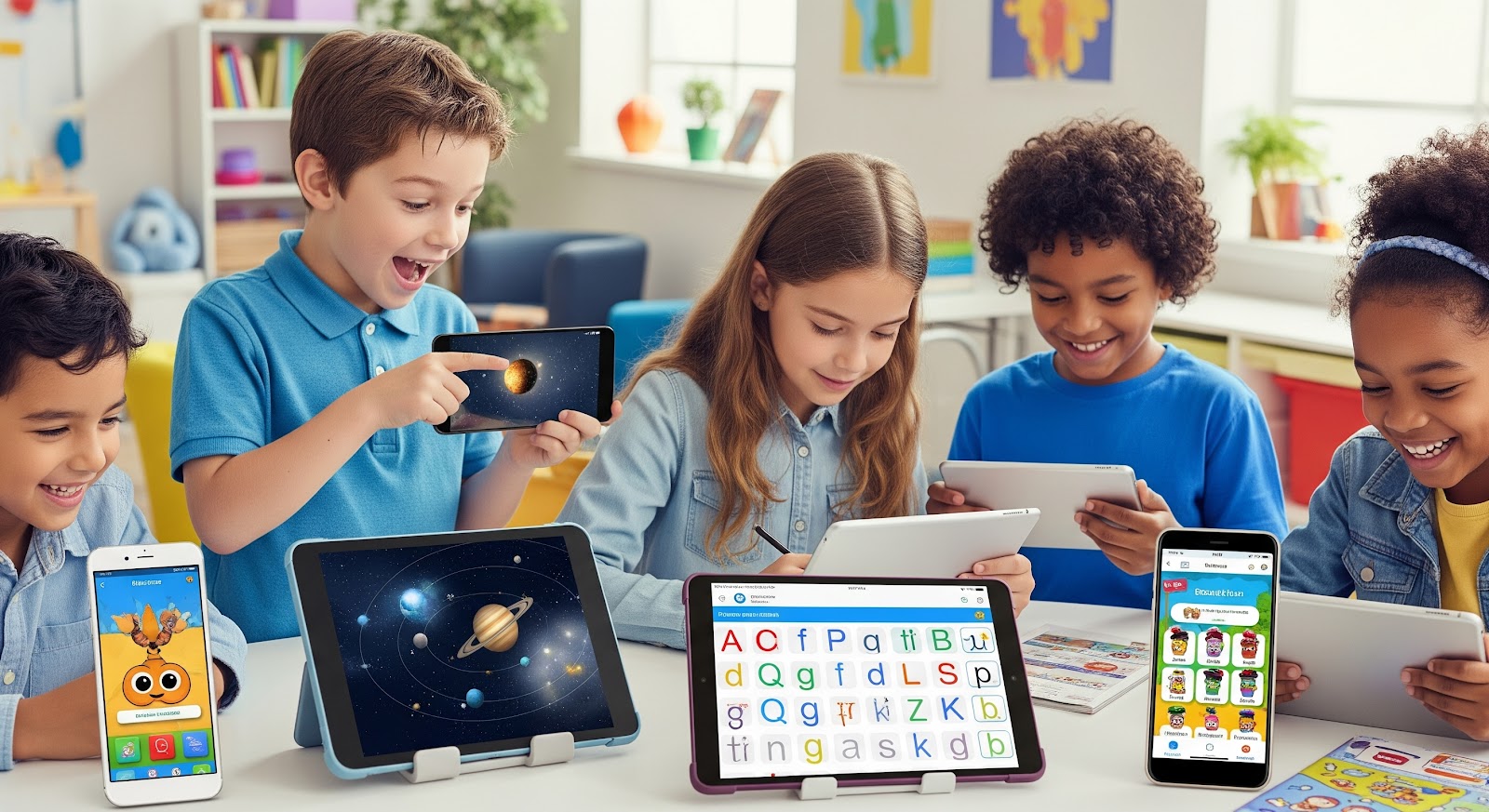
The demand for educational technology, particularly mobile learning applications, surged in the wake of the COVID-19 pandemic. As schools pivoted to remote and hybrid learning models, educators and families alike sought tools that could bridge the gap between home and classroom. Even as in-person learning has returned, educational apps remain essential, offering flexibility, individualized instruction, and support for diverse learning needs.
For students, these apps provide immersive, engaging experiences that adapt to their pace and proficiency level. Whether practicing reading fluency, mastering math facts, or exploring new languages, learners benefit from instant feedback, gamified incentives, and access to a vast array of digital content.
For teachers, educational apps streamline lesson planning, monitor progress in real time, and create more opportunities for differentiated instruction, ensuring no student is left behind.
Why Apps for Education Are Transforming the Learning Landscape
Educational apps are no longer supplemental tools. They have become central to the way educators teach and students learn. These applications are designed to support academic goals by integrating technology directly into the learning process, whether through interactive exercises, adaptive assessments, or real-time communication tools.
Scalability That Meets Diverse Classroom Needs
A single application can support hundreds or even thousands of learners, offering consistent instruction across classrooms, schools, and districts. This is particularly valuable in environments with limited access to specialists or varied instructional resources.
Apps can also be easily updated, allowing for the continuous improvement of content and features without needing to purchase new materials or retrain staff. As curricula evolve and learning standards shift, scalable apps ensure that schools remain current without significant disruptions.
Accessibility for Every Learner
Educational apps break down traditional barriers to learning by offering content that is accessible anytime, anywhere. Students can engage with lessons at home, during travel, or in class, creating more opportunities for practice and review.
For learners with disabilities or language barriers, many apps include built-in features such as text-to-speech, multilingual support, and dyslexia-friendly fonts to ensure inclusive participation.
This level of accessibility supports educational equity, ensuring that every child, regardless of zip code or background, has access to high-quality, personalized learning tools.
Harnessing Data for Smarter Instruction
Another powerful feature of educational apps is their ability to collect and analyze data. Through real-time feedback and progress tracking, these tools offer deep insights into student performance. Teachers can identify strengths and gaps early, allowing for targeted interventions before challenges become long-term setbacks.
For example, if a student is consistently struggling with reading fluency, an app can highlight specific areas of difficulty, track improvement over time, and suggest personalized reading materials or practice exercises. This kind of data-driven insight empowers teachers to make informed decisions that support student success.
Differentiated Instruction Made Practical
Differentiated instruction, adapting content and teaching methods to meet the diverse needs of students, is a cornerstone of effective teaching. However, it can be time-intensive without the right support.
Educational apps streamline this process by automatically adjusting the difficulty level, pacing, and content based on student responses. Advanced learners can move ahead to more challenging tasks, while students who need reinforcement receive additional practice without feeling left behind.
Teachers benefit as well, using built-in features like grouping tools, progress reports, and recommended next steps to simplify the management of a diverse classroom. What once required hours of preparation can now be accomplished in minutes, without sacrificing quality or personalization.
Best Features to Look for in Apps for Teachers
The best apps do more than deliver content; they empower educators to manage their classrooms more efficiently, make data-informed decisions, and tailor instruction to meet the needs of every learner. Understanding what to look for in these tools is essential for maximizing their impact.
Progress Tracking That Drives Instruction
One of the most valued features in any app for teachers is the ability to track student progress with clarity and precision. Quality educational apps collect real-time data on performance indicators such as reading fluency, comprehension, accuracy, or time spent on tasks. This information is often displayed in intuitive dashboards that make it easy for educators to:
- Identify students who need intervention.
- Celebrate progress and growth
- Adjust instruction based on trends or patterns
- Communicate updates to parents and school staff
By having constant visibility into student performance, teachers no longer have to rely solely on formal assessments. Instead, they can make day-to-day instructional decisions supported by current data.
Customizable Content for Flexible Teaching
Another important feature is content customization. Teachers often work with students at a wide range of academic levels, language proficiencies, and learning styles. Educational apps that allow educators to adjust difficulty levels, assign specific topics, or select texts aligned with students’ interests give teachers the control they need to differentiate effectively.
Customizable features may include:
- Modifying vocabulary difficulty
- Selecting themes or genres relevant to classroom units
- Adjusting the length or complexity of readings
- Assigning tasks to individual students or small groups
This flexibility helps educators meet students where they are and keep learning relevant, rigorous, and engaging.
Real-Time Feedback That Supports Growth
Immediate, constructive feedback is a cornerstone of quality learning, and the best educational apps deliver it in real time. For teachers, this means students receive support as they work, not hours or days later. Whether the app provides pronunciation corrections, comprehension cues, or instant scoring, real-time feedback reinforces learning in the moment.
Apps that offer voice prompts, guided corrections, or visual cues help reduce the teacher’s burden of monitoring every student simultaneously, especially in large or mixed-ability classrooms. They also promote independent learning by allowing students to self-correct and build confidence as they go.
Time-Saving Tools for Teachers
A major benefit of well-designed apps for teachers is their ability to save time. Tasks that traditionally required hours of manual effort, such as grading quizzes, writing progress reports, or grouping students by ability, can now be completed in minutes.
Key time-saving features include:
- Auto-graded assessments
- Pre-built lesson plans or activities
- Suggested next steps for remediation or enrichment
- Integration with other platforms like Google Classroom or LMS systems
By automating routine responsibilities, these tools allow educators to focus more on teaching and building relationships with students.
Simplifying Classroom Management
Many teacher-focused apps now include built-in classroom management features to help monitor engagement, behavior and student accountability. These might include:
- Real-time participation tracking
- Notifications when students skip tasks or fall behind
- Incentive systems like badges, points, or certificates
- Tools for monitoring reading aloud or on-task behavior
With the ability to view class-wide trends or individual performance at a glance, teachers can maintain better oversight without being overwhelmed by paperwork or logistics.
How Education Applications Enhance Student Outcomes
Education applications play a critical role in improving student learning across grade levels, subject areas, and learning profiles. While general technology tools may help with organization or communication, education applications are specifically designed to foster academic growth. They are not just digital replacements for textbooks or worksheets; they are interactive systems that use real-time data, feedback, and personalization to deepen understanding and accelerate achievement.
What Makes an Education Application Different?
Unlike standard productivity software or communication platforms, education applications are built with learning science in mind. These apps are structured to engage students in active learning, assess progress continuously, and provide immediate, targeted support.
Key characteristics of education applications include:
- Curriculum alignment with grade-level standards
- Interactive experiences that reinforce key academic skills
- Built-in assessments to track mastery and guide instruction
- Personalization engines that adjust content based on performance
- Progress dashboards that help educators, students, and families stay informed
This intentional design makes education applications powerful tools for measurable learning outcomes.
Improving Core Literacy and Learning Skills
Educational apps have demonstrated a positive impact on essential learning skills such as reading fluency, vocabulary acquisition, and comprehension. These gains are especially notable when students use apps consistently over time.
Fluency Growth Through Daily Practice
Apps that incorporate oral reading features and speech recognition provide a unique opportunity for students to build fluency. By reading aloud to an app that listens and gives immediate feedback on speed, accuracy, and expression, students improve their automaticity and confidence.
Data from recent research shows that students using such applications for just 10 minutes a day over a 30-day period experienced an average fluency improvement of 74 percent. In many cases, students advanced by one or more reading levels within a school year.
Strengthening Vocabulary Through Contextual Learning
Education apps often introduce new vocabulary in context, using interactive stories, embedded definitions, and visual cues to support understanding. Repetition and review features reinforce retention and help students apply new words in reading and writing.
When students are exposed to targeted vocabulary across multiple texts and formats, they build deeper word knowledge and become more confident communicators.
Boosting Comprehension with Embedded Questions
Comprehension features in apps usually include interactive questioning, summarization tools, and inference prompts that guide students to think critically. Many applications also allow students to answer comprehension questions aloud, helping them practice oral language skills while deepening their understanding of the text.
This dual focus on reading and speaking reinforces learning and supports both academic and language development.
Gamification as a Motivational Strategy
Gamification is one of the most effective engagement tools in modern education applications. By incorporating game-like elements such as points, badges, challenges, and progress rewards, apps create a sense of achievement and fun that motivates learners.
Making Learning Feel Like Play
Gamified elements reduce anxiety and make academic practice more appealing, especially for students who may be reluctant readers or struggle with attention. Features such as:
- Earned rewards for task completion
- Customizable avatars and achievements
- Streaks or levels that encourage daily use
- Leaderboards or team challenges
These mechanics help sustain motivation over time and encourage students to take ownership of their progress.
Encouraging Consistency and Self-Directed Learning
Apps that track usage and provide visual cues about student progress encourage consistency. Students are more likely to complete daily reading or math tasks when they know they will unlock rewards or advance to the next level. This increases time on task, which directly correlates with learning outcomes.
Adaptive Learning for Personalized Growth
At the core of many high-performing education applications is adaptive technology. These systems adjust the content, pace, and level of difficulty based on how the student performs.
Personalized Content Delivery
As students interact with the app, the system analyzes their strengths, errors, and response patterns. It then delivers the most appropriate next step, whether that is a simpler concept for reinforcement or a more challenging task to promote growth.
Adaptive apps are especially effective for:
- Supporting struggling learners without overwhelming them
- Challenging advanced students without holding them back
- Ensuring all learners remain engaged and appropriately challenged
Targeted Support Without Stigma
Unlike traditional classroom differentiation, where students may be aware of receiving different materials, adaptive apps work quietly in the background. This reduces stigma and promotes equity, allowing every learner to receive the right level of support without being singled out.
Choosing the Right App for Teachers and Students
The digital education market is vast, and with so many choices, selecting the right application can feel overwhelming. However, the most successful integrations begin with thoughtful evaluation. Teachers, administrators, and families should consider the unique needs of their students, the learning environment, and long-term educational goals when choosing educational apps. By doing so, they can ensure that technology serves as a support, not a distraction, in the learning journey.
Start with the Learner: Evaluating Student Needs
Before choosing an app, it is important to assess who the learner is and what they need most. Age and grade level provide a baseline, but effective app selection goes beyond that. Considerations include:
- Skill level: Is the student performing at, above, or below grade level? Look for apps that offer adaptive features or placement diagnostics.
- Subject area focus: Determine whether the student needs support in literacy, math, science, language development, or executive functioning.
- Language proficiency: For English Language Learners, seek tools with multilingual interfaces, audio support, or translation features.
- Learning style and accessibility needs: Visual learners may benefit from animation and color-coded cues, while auditory learners may engage more through spoken instructions or narration. Students with dyslexia, ADHD, or sensory challenges will benefit from inclusive features like read-aloud tools, font customization, or reduced visual clutter.
Matching an app’s features to a student’s individual learning profile ensures that the tool enhances learning rather than causing frustration or disengagement.
Teacher Considerations: Instructional Goals and Usability
Teachers also play a critical role in the app selection process. An ideal app supports not just student learning but instructional efficiency and classroom goals. Educators should ask themselves:
- Does the app align with the standards or curriculum I am using?
- Can I customize content for different learners?
- How does the app help me assess and track student progress?
- Is the user interface intuitive enough for students to use independently?
Apps that offer real-time data tracking, assignable tasks, and integration with platforms like Google Classroom or Microsoft Teams will often be the most impactful. Teachers should also evaluate how easily the app fits into their daily instructional flow, whether for warm-up activities, centers, small groups, homework, or progress monitoring.
Home-School Collaboration: Extending the Learning Network
One of the most powerful uses of educational apps is their ability to strengthen the home-school connection. Apps that include family-facing features allow caregivers to stay engaged with their child’s academic growth. Look for tools that offer:
- Family dashboards or progress updates
- Assignment reminders or alerts
- Reading logs or activity summaries
- Tips or resources for at-home support
When families understand what and how their children are learning, they are better equipped to provide encouragement, practice, and guidance. This collaboration builds continuity between school and home, helping reinforce learning outside the classroom.
Investing in Growth: Choosing Apps That Scale with Students
It is tempting to choose an app that works well for a specific moment in time, but the most valuable tools are those that grow with the learner. Look for platforms that:
- Offer multiple levels of content or skills progression
- Include benchmarks or goal-setting tools
- Support cross-grade or cross-subject use
- Allow for longitudinal data tracking
These scalable platforms help maintain consistency as students move through grades or transition between classrooms. They also provide teachers and parents with a clear view of long-term progress.
Moreover, apps that evolve with students reduce the need to constantly retrain teachers or introduce new systems. This saves time, lowers costs, and creates a more stable learning environment.
Making the Right Match Matters
Choosing the right educational app is not just about flashy features or trending downloads. It is about finding the best match between a student’s needs, a teacher’s goals, and the app’s capabilities. When this match is achieved, educational technology becomes a true catalyst for growth, fostering confidence, curiosity, and academic success.
By taking the time to evaluate thoughtfully, involve educators and families, and prioritize long-term learning outcomes, schools can ensure that every app serves its most important purpose: helping students learn in meaningful, personalized, and lasting ways.
Empowering Classrooms with the Right Tools
Educational apps have moved far beyond novelty; they are now essential tools in the modern learning landscape. When thoughtfully selected and implemented, these digital resources enhance student engagement, personalize instruction, and provide educators with meaningful insights that drive academic success.
From supporting core literacy skills to fostering collaboration between school and home, the right applications can transform teaching and learning in powerful, measurable ways. For students, this means more confidence, more curiosity, and more consistent growth. For teachers, it means less time on paperwork and more time focused on what matters most: connecting with learners and helping them thrive.
As education continues to evolve, it is critical to prioritize tools that reflect evidence-based practices and align with instructional goals. Not every app will fit every classroom, but those grounded in research, usability, and inclusivity offer the best path forward.
Ready to see what the right app can do? Discover how Readability combines real-time feedback, adaptive learning pathways, and inclusive design features to elevate literacy for every learner, whether they are just beginning their reading journey or building advanced comprehension skills. Empower your classroom with technology that works for every student.
FAQ’s
What are educational apps, and how do they support student learning?
Educational apps are digital tools typically web- or mobile-based, designed to enhance instruction and promote student learning. These apps often include features like interactive lessons, adaptive learning pathways, gamified practice, and real-time feedback. They help students stay engaged while allowing teachers to track progress and tailor instruction to individual needs.
How do teachers use educational apps in the classroom?
Teachers use educational apps to streamline lesson planning, differentiate instruction, assign personalized tasks, and gather data-driven insights. Many apps integrate with classroom technologies like LMS platforms, making it easier to manage learning in real time and adjust based on student performance.
Can educational apps improve reading fluency and comprehension?
Yes. Many literacy-focused learning apps include features such as speech recognition, oral reading feedback, interactive stories, and vocabulary support. These tools are especially effective for early readers, struggling learners, and English Language Learners, helping to build fluency, comprehension, and confidence over time.
Are school apps useful for parents as well?
Absolutely. School communication apps often include parent dashboards, progress alerts, assignment notifications, and resources for home-school collaboration. These features help families stay involved in their child’s education and reinforce learning outside the classroom.
Do educational apps work for different grade levels?
Yes. High-quality educational technology platforms typically offer content across multiple grade levels, from preschool through high school. They can adapt to student skill levels and often grow with the learner, supporting longitudinal learning goals.
 Español