Finding the right tools for a child with dyslexia can feel overwhelming. To make your search easier, we’ve compiled 15 of the best dyslexia reading apps for kids. But first, do they actually work?
Do Reading Apps for Dyslexia Work?
Yes, the right apps for dyslexia can be helpful. Many children with dyslexia benefit from extra practice with phonics, decoding, word recognition, spelling, and fluency. A well-designed app can provide engaging activities, immediate feedback, and opportunities to practice these skills at a pace that feels comfortable.
Research shows that children with dyslexia perform better with structured literacy approaches that include explicit instruction in phonics, sound-letter connections, decoding, and fluency. These evidence-based strategies on teaching children to read can be reinforced through digital tools that offer guided practice, repetition, and interactive activities.
However, a dyslexia reading app is not a replacement for professional evaluation, specialized instruction, or support from teachers and reading specialists. Instead, apps work best as an additional tool that helps children practice skills between lessons and build confidence over time.
How to Choose the Best Reading App for Dyslexia
Reading can feel frustrating for children who have difficulty connecting letters and sounds or recognizing words quickly. Apps can help by turning practice into smaller, manageable activities that children can repeat until skills become more familiar. Features like audio support, interactive lessons, and guided feedback can give children more opportunities to practice in a low-pressure environment.
The best learning apps for dyslexia should support your child’s needs while making practice feel fun and encouraging. Every child learns differently, so look for apps that focus on the skills they need most. You can also mix in dyslexia games for kids to give your child more engaging ways to practice reading and language skills outside of app-based lessons.
When choosing a dyslexia reading app, look for features like:
- Phonics and decoding practice to help children connect letters and sounds
- Fluency practice to help children read more smoothly
- Spelling and vocabulary activities to build word skills
- Comprehension support to help children understand what they read
- Multisensory learning for dyslexia that combines seeing, hearing, and doing
- Feedback and progress tracking to encourage growth
The best apps do more than entertain. They give children extra practice with the skills that help them become stronger readers while making reading feel more achievable. Now, let’s explore 15 of the best apps for kids with dyslexia.
15 Best Dyslexia Reading Apps for Kids

1. Readability Tutor — Best Overall Dyslexia Reading App
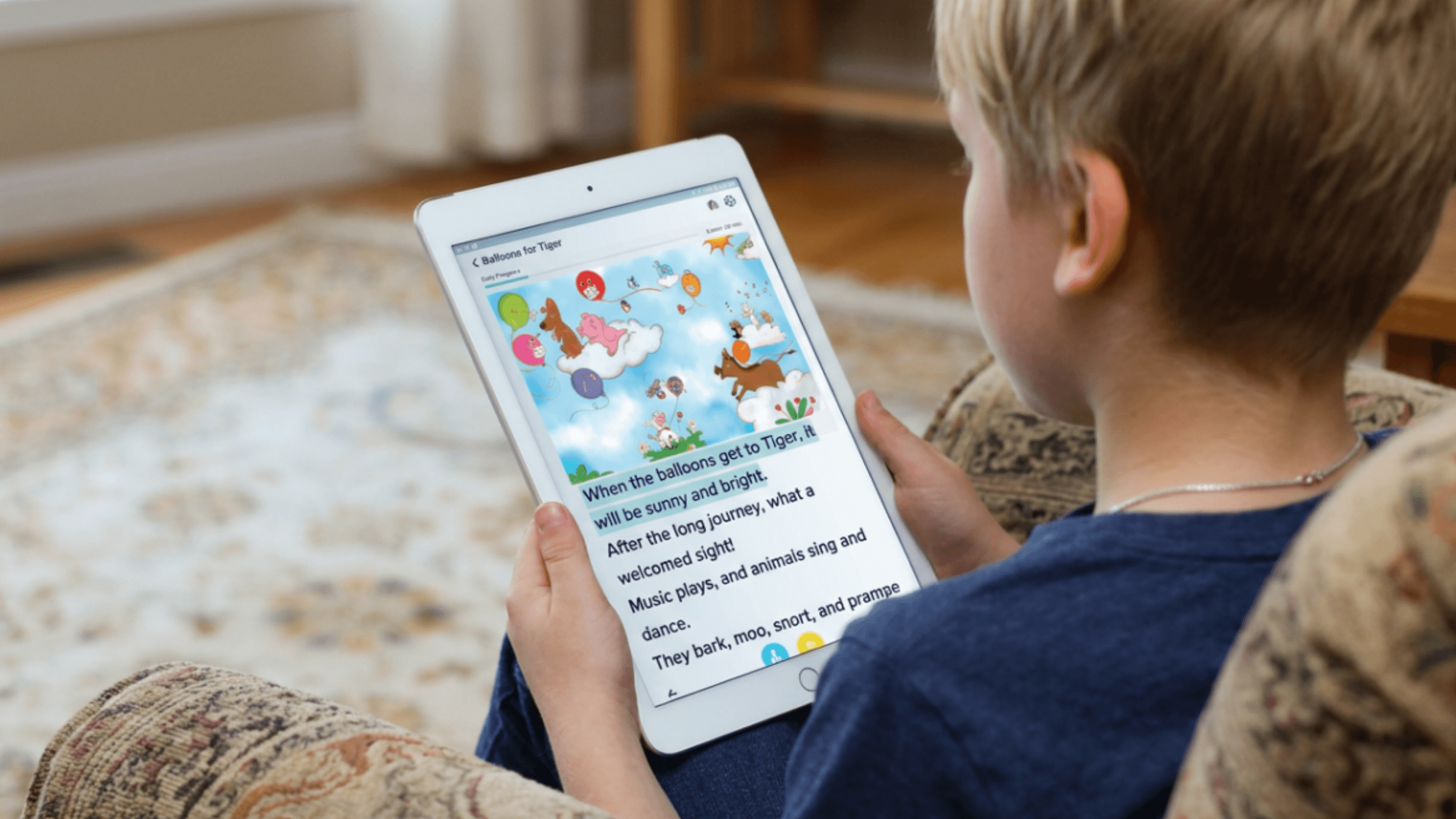
Readability Tutor is an award-winning reading app that helps children practice reading through interactive stories, guided activities, and personalized support. Using AI technology and speech recognition, the app listens as children read aloud and provides tailored feedback along the way.
Unlike traditional reading practice, Readability Tutor creates a more interactive experience by allowing children to actively read, listen, and respond. The app uses research-backed reading strategies, multisensory tools, phonics support, and comprehension activities to help children strengthen important reading skills while staying engaged.
Readability Tutor is designed to support children who may struggle with areas like decoding unfamiliar words, reading smoothly, remembering vocabulary, or understanding what they read. Through personalized practice, children can work on the skills they need most at a pace that feels comfortable. Learn more about Readability Tutor’s dyslexia app.

Best for: Children who need extra support with reading fluency, comprehension, word recognition, and overall reading development. It can be especially helpful for children who benefit from practicing aloud and receiving immediate feedback while they read.
Key features
- AI-powered reading feedback that listens as children read and provides support
- Speech recognition technology to encourage oral reading practice
- Interactive stories that keep children engaged while building skills
- Comprehension activities to help children understand and connect with what they read
- Personalized reading practice based on each child’s learning needs
- Vocabulary support to strengthen word knowledge
- Progress tracking to help parents follow reading growth
Many children with dyslexia benefit from guided practice and immediate feedback. Readability Tutor creates a personalized reading experience that helps children work on decoding, fluency, and comprehension skills at their own pace.
Readability Tutor also gives parents insight into their child’s reading progress. Parents can track practice time, completed activities, reading growth, and areas where their child may need additional support. This helps families better understand their child’s learning journey and make more informed decisions about how to support reading development at home.
Not sure if your child may have dyslexia? Our free dyslexia test can help you identify possible signs and better understand your child’s reading needs:
2. Nessy Reading & Spelling — Best for Structured Literacy Support
Nessy Reading & Spelling is a literacy program designed for children who need extra support with reading and spelling. The program uses a structured literacy approach, which teaches reading skills in a clear and organized sequence.
Instead of asking children to memorize words, Nessy focuses on helping them understand how sounds, letters, and spelling patterns work together. Lessons combine videos, games, and activities to make practice more engaging.
Best for: Children who need targeted support with phonics, decoding, spelling, and understanding word patterns. It may be a good option for children who benefit from explicit, step-by-step instruction.
Key features
- Structured literacy lessons
- Phonics and decoding practice
- Spelling instruction
- Word-building activities
- Multisensory learning techniques
- Interactive games and lessons
Children with dyslexia often benefit from direct instruction that breaks reading skills into smaller, manageable steps. Nessy helps reinforce the connections between sounds, letters, and words through repeated practice.
3. Reading.com — Best for Early Reading Skills
Reading.com helps children develop early reading skills through guided lessons, phonics activities, and interactive practice. The app focuses on the building blocks children need before becoming fluent readers.
Children practice skills like recognizing letters, connecting sounds to symbols, blending sounds together, and reading simple words.
Best for: Beginning readers who are building foundational skills or children who need additional practice with early literacy concepts.
Key features
- Step-by-step reading lessons
- Phonics instruction
- Letter and sound recognition activities
- Word-reading practice
- Interactive exercises
- Progress tracking
When it comes to dyslexia apps for kids, it’s important to look for one that focuses on building strong foundational skills. Reading.com gives children opportunities to practice reading skills in a structured way while building familiarity with how written language works.
4. Reading Eggs — Best for Gamified Phonics Practice
Reading Eggs combines phonics instruction with games, activities, and interactive lessons to help children develop reading skills. The app uses a progression-based approach, guiding children through different levels as they build their abilities.
Children practice skills like letter sounds, blending, vocabulary, spelling, and reading comprehension through activities designed to feel like games.
Best for: Young learners who enjoy interactive activities and benefit from frequent practice with early reading skills.
Key features
- Phonics lessons
- Interactive reading games
- Letter and sound activities
- Vocabulary practice
- Spelling activities
- Decodable reading experiences
- Progress reports
Children with dyslexia often need repeated exposure to reading concepts before they become automatic. Reading Eggs provides extra opportunities to practice sound recognition and word reading in a fun format.
5. Hooked on Phonics — Best Parent-Guided Reading Program
Hooked on Phonics is a reading program that helps children learn through structured phonics lessons, guided practice, and reading activities. The program follows a clear path from learning individual sounds to reading complete words and sentences.
The app is designed to involve parents in the learning process, making it easier for families to build a consistent reading routine at home.
Best for: Families who want a guided reading program with clear lessons and activities they can complete together.
Key features
- Step-by-step phonics instruction
- Sound blending practice
- Reading stories
- Word activities
- Parent-guided lessons
- Progress tracking
Some children benefit from having a predictable routine and repeated practice with the same concepts. Hooked on Phonics provides a structured way for families to reinforce early reading skills.
6. Learning Ally Audiobooks — Best for Reading Accessibility
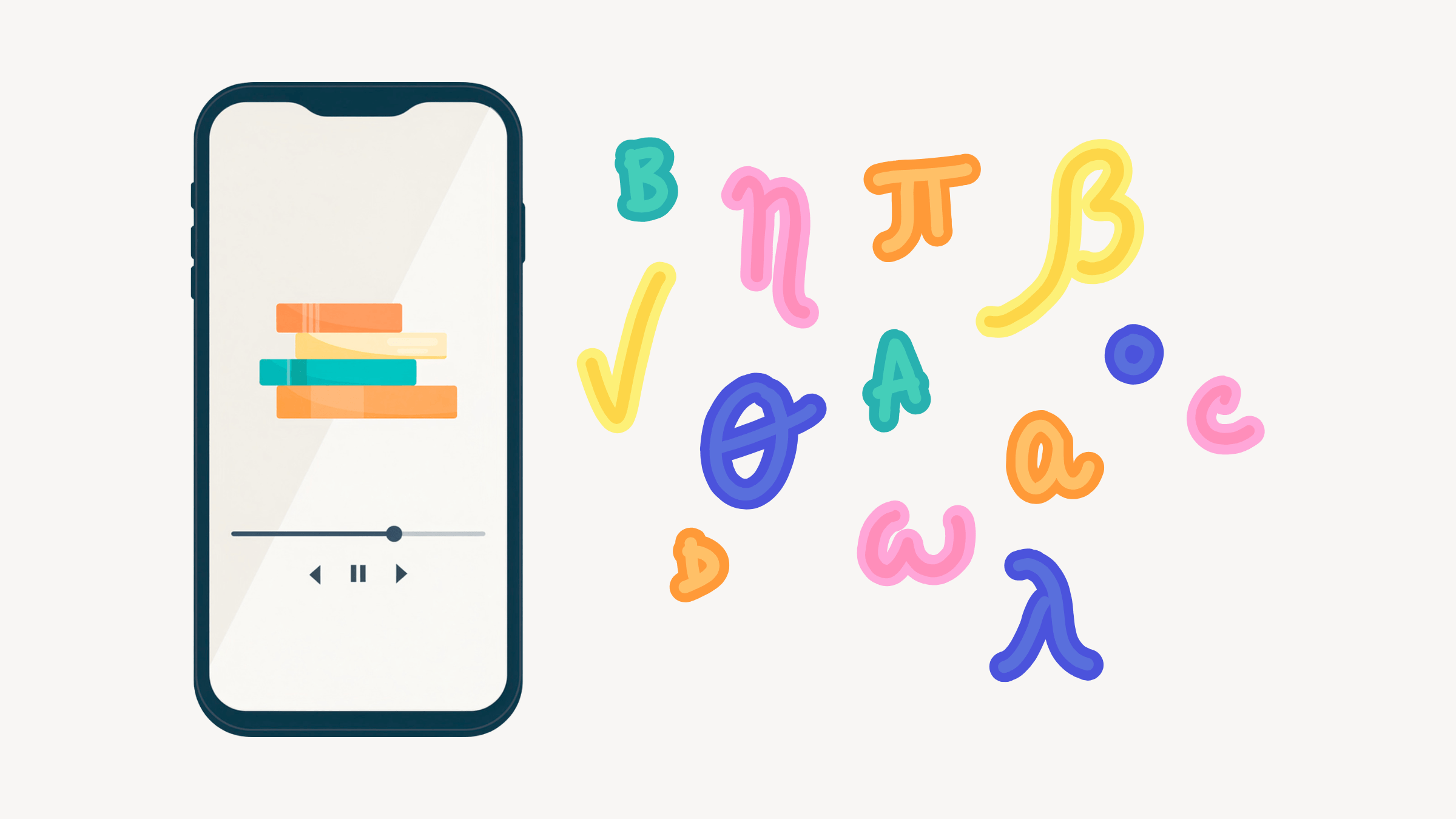
Learning Ally provides accessible audiobooks designed to help students access books and learning materials. The platform uses human narration and allows students to listen while following along with highlighted text.
Unlike traditional audiobooks, Learning Ally is designed specifically with students who have reading challenges in mind, helping them access educational content more independently.
Best for: Students who understand stories and information but find decoding printed text challenging.
Key features
- Human-read audiobooks
- Large collection of educational books
- Highlighted text while listening
- Accessible reading options
- Support for classroom materials
- Mobile access
Some children with dyslexia have strong comprehension skills but struggle with the process of reading every word. Audiobooks can help remove that barrier, allowing children to focus on learning, vocabulary, and enjoying books.
7. Bookshare — Best for Accessible Reading Materials
Bookshare is an accessible reading platform that gives students access to thousands of ebooks in formats designed for people with reading challenges. The platform allows children to customize how they read, including options for audio, highlighting, and adjustable settings.
Rather than teaching reading skills directly, Bookshare focuses on making books and learning materials easier to access. This can help children participate more fully in school reading assignments and independent reading.
Best for: Students who struggle with traditional print books but still want to access grade-level reading materials.
Key features
- Large digital book library
- Audiobook options
- Highlighted text while reading
- Customizable reading settings
- Accessible formats for different learning needs
- School and independent reading support
The best dyslexia apps will make sure features are accessible. Some children with dyslexia understand ideas well but need support accessing written text. Bookshare can help remove barriers so children can focus on learning from books instead of struggling with the format.
8. Voice Dream Reader — Best Customizable Reading Support
Voice Dream Reader is a reading accessibility app that converts written text into spoken audio. It allows children and students to customize their reading experience based on what works best for them.
The app can read documents, ebooks, and other digital materials aloud while highlighting words on the screen. This gives children another way to engage with written content.
Best for: Older students who need support with longer reading assignments, digital textbooks, and independent reading.
Key features
- Text-to-speech technology
- Highlighted text while listening
- Adjustable reading speed
- Custom fonts and display settings
- Support for multiple file types
- Offline reading options
Some children with dyslexia benefit from tools that reduce the effort needed to decode every word. Voice Dream Reader can help students access information while continuing to develop their reading skills.
9. Speechify — Best for Turning Text Into Audio
Speechify is a text-to-speech app that reads digital text aloud. Children can use it to listen to documents, webpages, books, and other written materials instead of reading everything visually.
The app is designed as an accessibility tool that helps users consume written information in a different way.
Best for: Students who need help accessing written materials for school, homework, or everyday reading.
Key features
- Text-to-speech technology
- Adjustable reading speed
- Voice options
- Document scanning
- Support across devices
- Audio playback for digital text
For some children with dyslexia, listening can make it easier to understand information without getting stuck on difficult words. Speechify can provide another pathway for accessing and processing written content.
10. Teach Your Monster to Read — Best for Playful Phonics Practice
Teach Your Monster to Read uses games and interactive activities to help children learn early reading skills. Children create a character and move through activities that teach letters, sounds, blending, and simple words.
The app turns phonics practice into a game-like experience, which can help younger children stay interested while learning.
Best for: Young readers who enjoy games and need extra practice with early phonics skills.
Key features
- Letter-sound activities
- Phonics games
- Word blending practice
- Early reading activities
- Interactive challenges
- Progress through game levels
Children who struggle with reading may become frustrated when practice feels like extra work. Teach Your Monster to Read adds a playful element that can help make early literacy practice feel more enjoyable.
11. Starfall — Best Free Early Literacy App
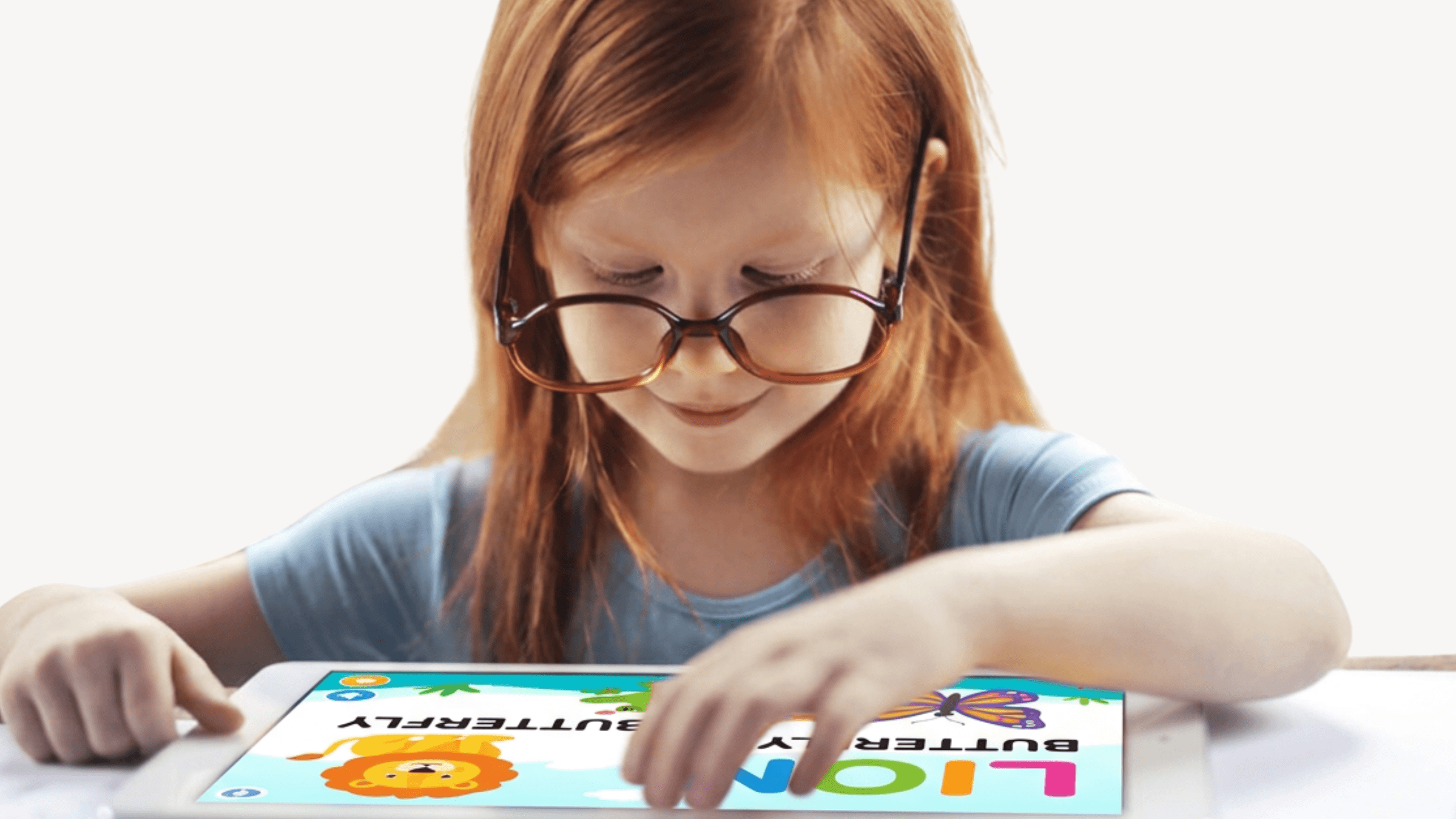
Starfall is a learning app that provides interactive activities for early literacy development. It includes phonics practice, letter recognition, stories, songs, and simple reading activities.
The app has been used in early education settings and offers many free activities for young learners.
Best for: Preschool and early elementary children who are developing basic reading skills.
Key features
- Letter recognition activities
- Phonics practice
- Beginning reading lessons
- Interactive stories
- Songs and games
- Early vocabulary activities
Children who need more time practicing foundational skills may benefit from additional exposure to letters, sounds, and words. Starfall provides a simple way to reinforce these early reading concepts.
12. Epic! — Best for Building Reading Interest
Epic! is a digital reading library that gives children access to thousands of books, audiobooks, videos, and learning activities. The app helps children explore topics they enjoy while building regular reading habits.
With a wide variety of genres and reading levels, children can choose books that match their interests and abilities.
Best for: Children who need more opportunities to explore books and develop a positive relationship with reading.
Key features
- Large digital book library
- Read-to-me books
- Audiobooks
- Reading quizzes
- Personalized recommendations
- Educational videos
Finding books that spark interest can make a big difference for children who feel discouraged by reading. Epic! helps children explore stories while building vocabulary, background knowledge, and comprehension.
13. ABCmouse — Best for Early Literacy Exploration
ABCmouse is an early learning app that includes activities for reading, phonics, vocabulary, and language development. It provides a variety of lessons, games, and activities that help younger children build foundational skills.
The app covers multiple learning areas, making it a broader educational tool rather than a reading-only program.
Best for: Young children who are beginning literacy development and benefit from learning through different activities.
Key features
- Phonics lessons
- Letter and sound activities
- Vocabulary practice
- Reading activities
- Educational games
- Learning paths
Younger children with reading challenges often benefit from building strong early literacy foundations. ABCmouse gives children additional opportunities to practice skills like letter recognition, sounds, and vocabulary.
14. WordShark — Best for Spelling and Word Patterns
WordShark is a literacy app focused on spelling, phonics, and word recognition. It uses interactive games to help children practice spelling patterns and develop stronger word skills.
The program includes activities that can be adjusted to match a child’s learning level.
Best for: Children who need extra support with spelling, phonics patterns, and recognizing how words are built.
Key features
- Spelling games
- Phonics activities
- Word pattern practice
- Vocabulary development
- Adjustable difficulty levels
- Progress monitoring
Many children with dyslexia find spelling challenging because connecting sounds and letters can take more effort. WordShark provides targeted practice with word structures and spelling patterns.
15. Khan Academy Kids — Best Free Learning App
Khan Academy Kids is a free educational app that includes early literacy activities, stories, vocabulary practice, and language development exercises. The app combines learning with games and creative activities designed for young children.
It offers a broad range of early learning content beyond reading, making it a helpful option for families looking for a free educational resource.
Best for: Young learners who want additional practice with early reading and language skills.
Key features
- Literacy activities
- Interactive stories
- Vocabulary practice
- Phonics activities
- Educational games
- Creative learning activities
Children often benefit from having multiple ways to practice early literacy skills. Khan Academy Kids provides a low-pressure environment where children can explore reading, language, and learning concepts.
Every Child Deserves the Right Reading Support
Choosing the right dyslexia reading app depends on your child’s age, reading level, and the skills they need the most support with. Every child learns differently, so the best app is one that matches their needs and keeps them engaged while practicing important reading skills.
Some children may benefit most from phonics and decoding practice, while others may need support with reading fluency, comprehension, spelling, or accessing books more easily. There is no single app that works for every learner. The goal is to find a tool that helps your child practice skills in a way that feels encouraging and manageable.

To recap, what to look for in a reading app for dyslexia:
- Focus on reading skills: Look for support with phonics, decoding, fluency, vocabulary, spelling, or comprehension.
- Encourage active practice: Children learn best when they can interact, respond, and practice skills instead of only watching.
- Provide helpful feedback: Immediate guidance can help children understand mistakes and build stronger habits.
- Match your child’s level: The best apps adjust to your child’s current abilities and provide appropriate challenges.
- Make reading feel positive: A supportive experience can help children stay motivated and continue practicing.
Reading apps can be a helpful addition to your child’s learning routine by giving them more opportunities to practice important skills like phonics, fluency, comprehension, and word recognition. The right tool can make practice feel more engaging while helping children build skills at a pace that works for them.
For families and educators looking for a more personalized approach, Readability Tutor provides guided reading practice with AI-powered feedback, speech recognition, interactive stories, and progress tracking to support children as they build important reading skills. Try Readability Tutor free for 30 days.